Inventory and WMS for distributors
Turn
messy PDFs
into matched orders.
Revlis reads the purchase orders, quotes, and supplier PDFs in your Outlook inbox, however messy, matches every line to your SKUs and suppliers, and turns them into structured orders. Your team approves; nothing goes out on its own.
The problem
Your inbox is your order system.
Every supplier sends a different PDF
Odd layouts, scans, and inconsistent item codes mean someone re-types it all into the ERP, line by line.
Quote requests wait in the queue
A buyer who waits a day for a price often orders from the next supplier.
Stock questions interrupt the day
"Do you have it?" and "Where's my delivery?" are answered by hand, all day.
The engine
Built for the messy part.
The hard part is not reading a clean PDF. It is reading the hundredth different one and matching it to the right SKU. Scroll to follow one document through.
The system
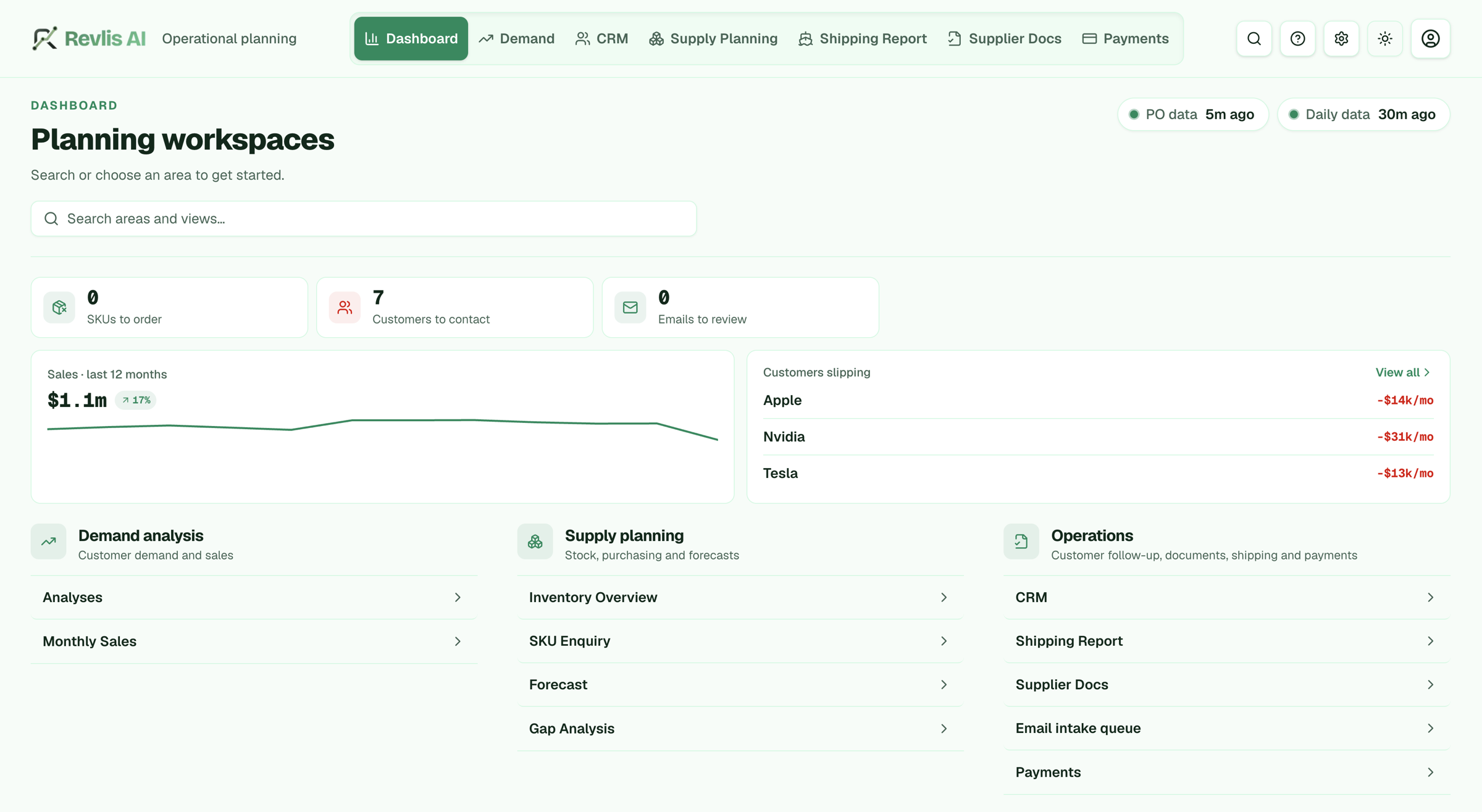
One workspace for demand, supply, and operations.
Once orders are structured, the same data powers live views of sales, stock, and the customers slipping away, with everything your team needs in one place.
How the pilot works
One mailbox. Two weeks. Measured results.
- 01
Connect one mailbox
Link orders@ or sales@ in Outlook. Read-only to start, nothing is sent without approval.
- 02
We read, match, and structure
Our extraction engine reads the PDFs and emails, and our matching engine ties each line to your SKUs and suppliers.
- 03
Your team approves
Draft orders and replies land in a queue. One click to approve, edit, or reject.
- 04
Flows into your systems
Approved orders go to your ERP, accounting, or inventory tool instead of living in an inbox.
Beyond the inbox
Start with email. Grow into a full system.
We build the system around how your business already works.
Customer demand and sales
Monthly sales, customer trends, and revenue at risk, built from your own order data.
Stock, purchasing, and forecasts
See what to reorder and what is about to run short before a customer asks.
Follow-up, documents, shipping, payments
Keep customer follow-up, supplier documents, shipments, and payments in one place.
Is it a fit?
Best for teams that look like this.
- You are a distributor, wholesaler, importer, or light manufacturer
- Orders and quotes arrive by email (30+ a day is a strong fit)
- Your team uses Microsoft 365 / Outlook
- Two or more people spend real time on the order inbox
Try it on one mailbox.
A 2-week pilot with a clear scope and price. Your team approves everything.